Jamf After Dark: Jamf Mobile Forensics
Learn what Jamf Mobile Forensics is, who should use it and how it helps your security posture.

On the latest episode of Jamf After Dark, co-hosts Sean Rabbitt and Kat Garbis welcome two Jamfs to talk about Jamf Mobile Forensics. Harry Jenkins, Enterprise Security Sales Manager, and Max Simpson, Enterprise Account Executive, provide insight on how Jamf Mobile Forensics works and how it’s used.
After a short recap of RSA conference, the group dives in.
What is Jamf Mobile Forensics?
Jamf Mobile Forensics searches for the most advanced, sophisticated threats on mobile devices. More people are working from their phones instead of laptops, and mobile devices are increasingly targeted. These phones may access or store personal and company data, and may connect to unsecured public Wi-Fi. This data needs to be defended, especially for highly targeted users.
Jamf Protect vs. Jamf Mobile Forensics
Jamf Mobile Forensics is not intended to be the only line of mobile defense, but adding it to your security stack allows for maximum protection. Security starts with your Mobile Device Management (MDM) solution, which prevents malicious applications from being downloaded and wipes devices if it’s lost or stolen. On top of MDM, you can layer mobile threat defense (MTD) or endpoint detection and response (EDR) software — like Jamf Protect — to block network threats like phishing and malware. Jamf Mobile Forensics scans at the operating system (OS) level, looking at kernel and system logs, for example. It finds elusive indicators of compromise (IoCs) that other tools can miss.
Jamf Mobile Forensics in action
Targeted individuals have found themselves with government-sponsored spyware on their phones. In the past, threat groups simply sent their target an image to deliver their malicious payload — no user intervention required.
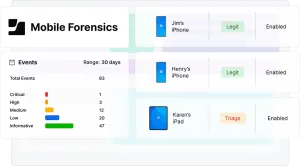
Jamf Mobile Forensics identifies this type of attack and alerts the user and admin that remediation is required.
How to use it
There are multiple ways to scan your device:
- USB connection: Users can plug their device into their laptop or give their device to IT to do so. The device is quickly scanned for issues.
- Kiosk: Users can plug their device into a fixed kiosk for a scan.
- Installed agent: An agent is installed on their device. It periodically scans the device for threats.
While scans include OS-level data, they don’t include personal information like passwords, call data, browser history and more.
Who needs it
Jamf Mobile Forensics is intended for anyone who has sensitive and desired information, whether it’s their information or their clients’. This could be:
- A lawyer with high-profile clients
- Politicians and political dissidents
- Human rights activists
- Undercover reporters or journalists
- Sports teams
- Corporate executives
Learn more about Jamf Mobile Forensics by listening to the episode or giving it a try.
Gain access to all the Jamf After Dark podcasts today!