
Balancing safety and learning: managing risky content in K-12
Discover how granular, device-level content filtering gives K-12 IT teams the precision to protect students everywhere without blocking the tools teachers depend on.
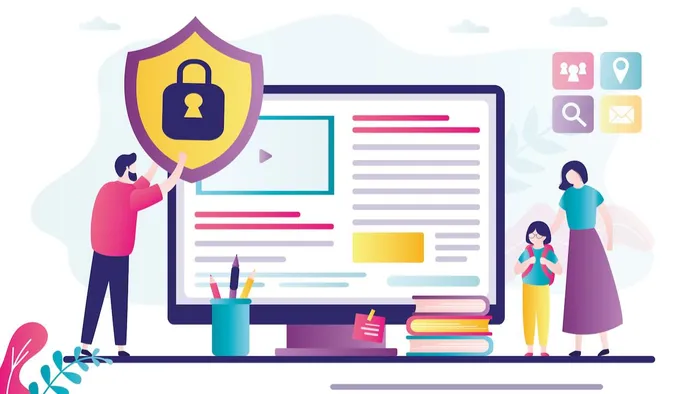
K-12 content filtering is the practice of controlling which websites and online content students can access on school-managed devices. Effective filtering protects students from harmful material while preserving access to legitimate educational resources — but most filtering tools force IT teams to choose between the two. Granular, device-level filtering resolves that tradeoff by applying context-aware rules that follow students across every network they use.
Key facts:
- Regulations like the Children’s Internet Protection Act (CIPA) require schools receiving federal funding to filter obscene, harmful and illegal content — but community expectations typically go further.
- Overly broad filtering blocks legitimate curriculum tools, erodes teacher trust and pushes students toward workarounds that introduce new risks.
- Device-level filtering enforces policies on-campus, at home and on mobile hotspots, not just on the school network.
Key takeaways:
- Overblocking and underblocking are both failure modes — effective filtering requires precision.
- Broad category blocks create false positives that disrupt instruction and generate unnecessary IT tickets.
- Device-level filtering enforces consistent policies regardless of what network a student is on.
- Granular controls let IT distinguish between context, like grade level, time of day, curriculum use, without overhauling the entire policy.
- Regular audits and transparent communication with stakeholders reduce friction and build long-term trust.
What makes K-12 content filtering so difficult?
IT teams in K-12 schools are expected to keep students safe and preserve access to legitimate educational content at the same time. With blunt filtering tools, those goals conflict directly. The challenge isn't that the goal is unclear — it's that the method usually is.
Most filtering solutions offer category-level on/off controls, so admins can block access to websites that include, say, gambling, adult content, entertainment or social media. This can work well, but what if there are exceptions? Context is important — otherwise this method alone treats a high schooler doing independent research the same as a third grader on a tablet during free period. The result is policy that is either too broad to be useful or too narrow to be safe.
What is overblocking, and why does it hurt learning?
Overblocking happens when web filters block legitimate educational resources alongside genuinely harmful content. It is one of the two primary failure modes in K-12 content filtering, and it is far more common than most IT teams realize.
At best, overblocking limits what teachers can use for their lessons. Or, teachers find themselves having to pivot when students can't access a resource planned for the day. When teachers can't access the sites they've built lessons around, they lose confidence in school-managed devices. Students, predictably, find workarounds. Those workarounds — VPNs, personal devices and proxy sites — often introduce more risk than the original block was designed to prevent. That means more tickets for IT, whether they’re access requests or a response to a security incident from unsanctioned workarounds.
In other words, overblocking limits the learning experience for students, hinders teachers’ faith in their technology and burdens IT with tickets and discontent users.
What is underblocking, and what are the compliance risks?
Underblocking is the second failure mode, and it can have serious consequences. When filtering gaps allow students to access harmful or inappropriate content on school devices, they can be exposed to malicious adults, cyber attacks, privacy-violating websites and more. Severity of incidents vary, with the possibility of significant problems.
When an incident occurs, parents complain, administrators are scrutinized and potential compliance violations must be addressed. If systems go offline, learning is interrupted as the issue is remediated. An incident can force reactive, ad hoc policy changes that consume IT time and erode the community trust that takes time to rebuild.
The hidden cost of getting content filtering wrong
The cost of imprecise filtering accumulates across every stakeholder, not just IT. Students experience inconsistent or degraded access to digital learning tools. Teachers lose confidence in instructional technology. Administrators face hard questions from parents and boards when incidents occur.
For IT teams, the toll is measured in time: tickets, escalations, emergency policy rewrites and recovery from incidents that more precise filtering would have prevented.
Why network-level filtering isn’t enough
Network-level filtering only applies when a student is connected to the school network. The moment a student takes a device home, connects to a mobile hotspot or joins any network outside district control, those policies stop enforcing. For schools issuing take-home devices, that's a significant gap.
Thanks to Apple’s on-device content filters, device-level filtering doesn’t rely on location. Policies are enforced on the device itself, which means they follow the student regardless of what network they're on. On campus, at home, at the library — the same rules apply. That consistency makes sure students are protected even outside school walls.
Granular controls make device-level enforcement useful
Device-level enforcement closes the network gap, but it doesn't solve the precision problem. A policy that follows students everywhere is only as good as the rules it enforces. If those rules are still broad category toggles, IT is back to the same overblocking and underblocking tradeoffs.
Granular filtering tools let IT work at a finer grain than on/off category blocks. Instead of a single toggle that blocks a platform entirely, admins can apply platform-specific modes, like restricted or safe search settings, block individual URLs within an otherwise permitted category, or allow specific resources within a blocked one.
Policies can also reflect instructional context, like different rules for different student groups or different enforcement during school hours versus after them. The result is a filtering layer precise enough to protect students without becoming an obstacle to teaching and learning.
Device-level enforcement and precise filtering rules are both necessary. Neither works as well without the other.
What should IT teams look for in a K-12 filtering solution?
Effective K-12 filtering solutions provide granular category controls, consistent enforcement across all networks and reporting that gives IT visibility into what is being blocked — and what isn't.
- Device-level enforcement that applies policies regardless of network connection
- Controls that distinguish between a research tool and a distraction — even when they share a category label
- Grade-level and time-based rules that reflect instructional context
- Audit logs and blocked-content reports that surface overblocking before it becomes a teacher complaint
Solutions like Jamf are purpose-built for this use case, providing device-level web filtering designed specifically for K-12 environments.
Three things K-12 IT teams can do today
- Audit current category blocks for false positives. Review your filtering configuration and identify categories where legitimate educational tools share a label with genuinely harmful content. For those categories, move beyond the on/off toggle — allow specific resources, block individual URLs or apply platform-specific modes like restricted or safe search settings where available.
- Build a regular review cadence into your workflow. Filtering policies drift. The internet changes, curriculum tools change and what was accurate six months ago may not reflect instructional reality today. A quarterly review of blocked-content reports catches overblocking before teachers escalate it.
- Make filtering policies visible to stakeholders. Teachers, parents and students should understand what is filtered and why. Transparency reduces friction, makes policy changes easier to defend and shifts the perception of IT from obstacle to enabler.
Effective K-12 content filtering is not about choosing between safety and learning. It is about having precise enough tools to deliver both. Device-level controls give IT teams the tools to move from reactive damage control to proactive policy — without becoming the obstacle to education.
Learn more about how Jamf helps K-12 IT teams protect students with granular, device-level web filtering.