Stop chasing passwords: how school IT can reduce reset tickets
An overload of password reset tickets isn't random. It's the predictable result of fragmented access.
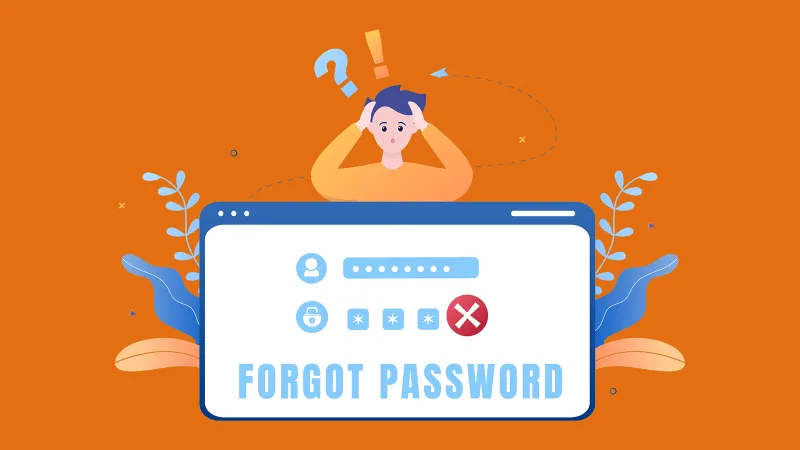
Forgotten passwords can cause a lot of trouble.
You've lived it: Students and teachers juggle too many passwords, and as they inevitably forget them, they file password reset tickets. A few more forget their passwords, and then more. And then more.
Before you know it, your staff is spending much of their precious work time resetting passwords. These tasks are repetitive and dull; they waste a lot of IT potential.
While often treated as unavoidable and routine helpdesk work, reset tickets point to a deeper access issue.
Key takeaways:
- Repetitive, low-value support work can waste time for IT teams and cause frustration; it can block deeper, more strategic work.
- It's human nature to forget passwords, but IT tickets to reset passwords are a symptom of fragmented access, not the root cause of IT stress.
- Fragmented access results in lost learning time and reduced technology adoption rates.
Password fatigue drives risky behavior.
When faced with too much complexity, students and teachers can unintentionally leave themselves and their schools open to cyberattacks in their genuine attempts to simplify.
When teachers and students attempt to avoid IT tickets, this can result in:
- Reusing, sharing or writing down passwords so that they are easily accessible to the wrong people
- Normalizing security workarounds such as staying logged in all the time or never updating
- Setting up shared folders at third-party vendors that don't require passwords at all
These actions can result in costly security breaches that not only waste even more IT time, but that also diminish trust in tech teams throughout the school or district.
Password fatigue can waste learning time.
Beyond the security issues of password fatigue, it can also impact learning and teaching.
Here's how:
- Forgotten passwords trigger helpdesk requests which, if backed up, can cause students and teachers to lose educational time
- Shared credentials create account lockouts which blocks students and teachers access to learning materials during class time
- Access problems spike during busy learning periods, interrupting learning momentum.
But ticket overload isn't actually the start of the problem.
Okay. You're sold. Too many password tickets can create multiple nightmares.
But what are you supposed to do about it? You can't increase staff with school budgets so tight. You know that faster reset times don't do anything about volume.
Here's what you do: you attack the real issue, created before someone files a ticket. You get centralized access control.
What can centralized access do to alleviate password tickets?
In a word: everything.
Centralized control alleviates the issue for both IT and end users on multiple fronts:
- Central oversight of access: With centralized access control, IT can set up whatever automation, ID controls or access rules they wish. And they can see any access issues as they crop up and immediately remediate them.
- One identity across apps: When you link all apps and other access to an SSO identity, there are fewer passwords for people to remember. With fingerprint or facial recognition ID, there are no passwords needed at all.
- Policy-based controls instead of reactive fixes: Without a huge pile of password reset tickets, you'll be amazed at how proactive you can be as opposed to reactive. When you control access via policies and configurations rather than depending on users to remember passwords, you can do fewer tasks while delivering better experiences.
This results in a new way to work and learn.
What outcomes should I expect after implementing centralized access?
- Fewer tickets for IT to grind through manually, which reclaims IT hours
- Faster, more reliable access for students and teachers means fewer classroom disruptions
- A more consistent user experience builds trust in — and therefore adoption of — educational technology
These sorts of results help IT teams and administrators see how directly IT connects with learning outcomes.
Practical steps IT teams can take today
Step 1: Track login-related tickets.
To make the argument for changing the way you manage devices and access in your organization, you'll need some strong data. When you start tracking and documenting all login or password tickets you will have a body of data to work from.
Step 2: With this data, identify recurring access issues with your current setup.
How many passwords must teachers and students remember? How many tickets are caused by such password juggling? Which workflows, apps or times of year drive repeat problems?
Step 3: Start where the need is most obvious.
After you have analyzed the information you have collected, reduce friction where it’s felt most. Are there specific apps that require cumbersome logins, or are used heavily? What points during the day and school year result in the most tickets? Is it when teachers and students start out the year? Is it during testing periods when students and teachers must access evaluation apps that they don't use during the rest of the year?
The final step (or is it the first step?)
Find an MDM provider that has strong partnerships with ID providers or offers ID authentication as part of their services. Ensure that the provider offers superior security measures or seamlessly integrates into your existing stack.
A simple interface and a centralized location to view your whole device fleet and any problems that might be cropping up is also vital, as is built-in logging and reporting abilities.
Go forth and centralize access!
With the right plan, documentation and tools you can eliminate password ticket mayhem. And you can also save staff time by automating repetitive tasks, encourage technology adoption and see immediate impacts in the classroom.
Start with the squeaky wheels, but keep expanding! The more you can pull all everyday app and device use under one ID, the more you can offer innovations that help everyone to learn, teach and work more effectively.
Subscribe to the Jamf Blog
Have market trends, Apple updates and Jamf news delivered directly to your inbox.
To learn more about how we collect, use, disclose, transfer, and store your information, please visit our Privacy Policy.